Loko GPS Tracker Setup Guide
Step-by-step instructions to configure your Loko Air & Ground units, connect the mobile app, and start offline GPS tracking in minutes.
Quick Start Guide
Get your Loko GPS Tracker operational in minutes:
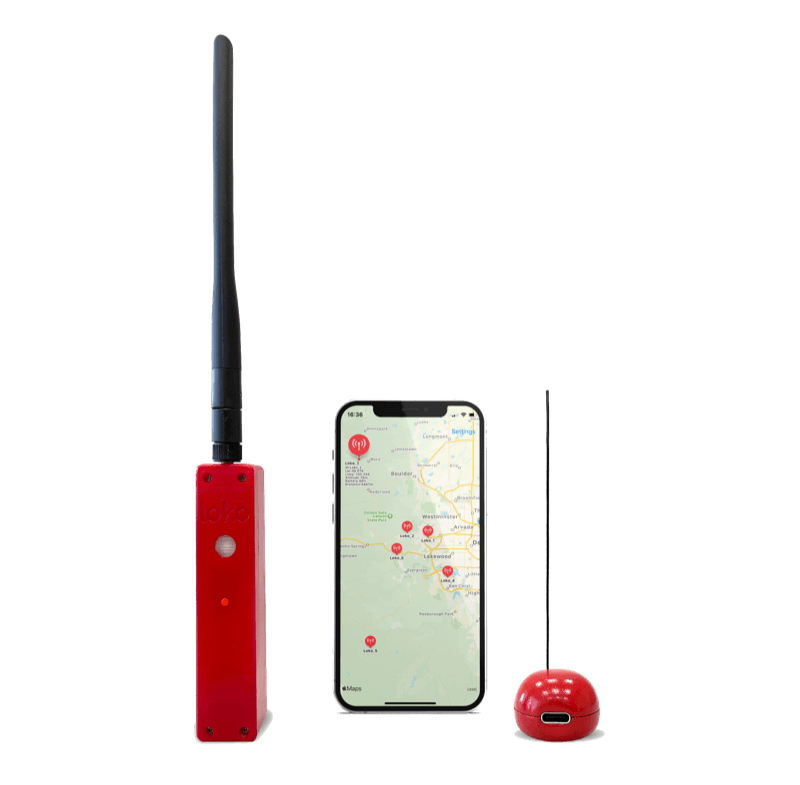
- Unbox and Charge: Fully charge both Air Unit and Ground Unit using the included USB-C cables (takes ~60 minutes)
- Download App: Install the Loko app from iOS App Store or Google Play Store
- Power On: Press and hold the power button for 3 seconds on both units
- Pair Units: Open the app and follow the pairing wizard to connect your Air and Ground units
- Configure Settings: Set update interval, geofence boundaries, and notification preferences
- Mount Tracker: Securely attach the Air Unit to your asset using the included mounting hardware
Advanced Setup: Configuring LoRaWAN Connection
Connect your Loko to LoRaWAN networks for extended coverage:
For applications requiring connectivity beyond the 20km P2P range, configure your Loko to connect to The Things Network (TTN) or other LoRaWAN providers:
- Access DevEUI: Find the unique device ID in the Loko app under "Device Info"
- Create Account: Register at console.thethingsnetwork.org or your preferred LoRaWAN provider
- Register Device: Add your Loko using OTAA (recommended) or ABP activation
- Configure Keys: Enter AppEUI, AppKey, and NwkKey in the Loko app settings
- Test Connection: Verify connection to nearest gateway in the TTN console
- Adjust Parameters: Optimize SF, BW, and DR settings for your location
Note: LoRaWAN setup requires coverage from nearby gateways. Use P2P mode in areas without LoRaWAN coverage.
Troubleshooting Common Issues
Solutions to common setup and operation problems:
Connection Issues
If units aren't connecting: Check battery levels, ensure both units are within 20km range, verify same frequency band settings, and restart both units if necessary.
GPS Lock Problems
If GPS isn't acquiring: Ensure clear sky view, check antenna orientation, wait up to 60 seconds for cold start, and verify firmware is updated.
App Connectivity
If app won't connect to ground unit: Enable location services, check Bluetooth permissions, ensure you're within 10m range, and restart Bluetooth on your phone.
